10_CLX SharePoint Learning Portal Case Study
10_CLX SharePoint Learning Portal Case Study
10_CLX SharePoint Learning Portal
10_CLX SharePoint Learning Portal
This was my first experience working on a SharePoint site. While I had prior experience with WordPress and other platforms, adapting to SharePoint’s structure, page settings, and workflow brought new learning opportunities. The platform involved heavy content, detailed infographics, and structured learning journeys. I collaborated closely with the Instructional Designer, Lavanya, who supported content structuring and SharePoint functionality alignment.
This was my first experience working on a SharePoint site. While I had prior experience with WordPress and other platforms, adapting to SharePoint’s structure, page settings, and workflow brought new learning opportunities. The platform involved heavy content, detailed infographics, and structured learning journeys. I collaborated closely with the Instructional Designer, Lavanya, who supported content structuring and SharePoint functionality alignment.
2023
SharePoint Design, UX Design
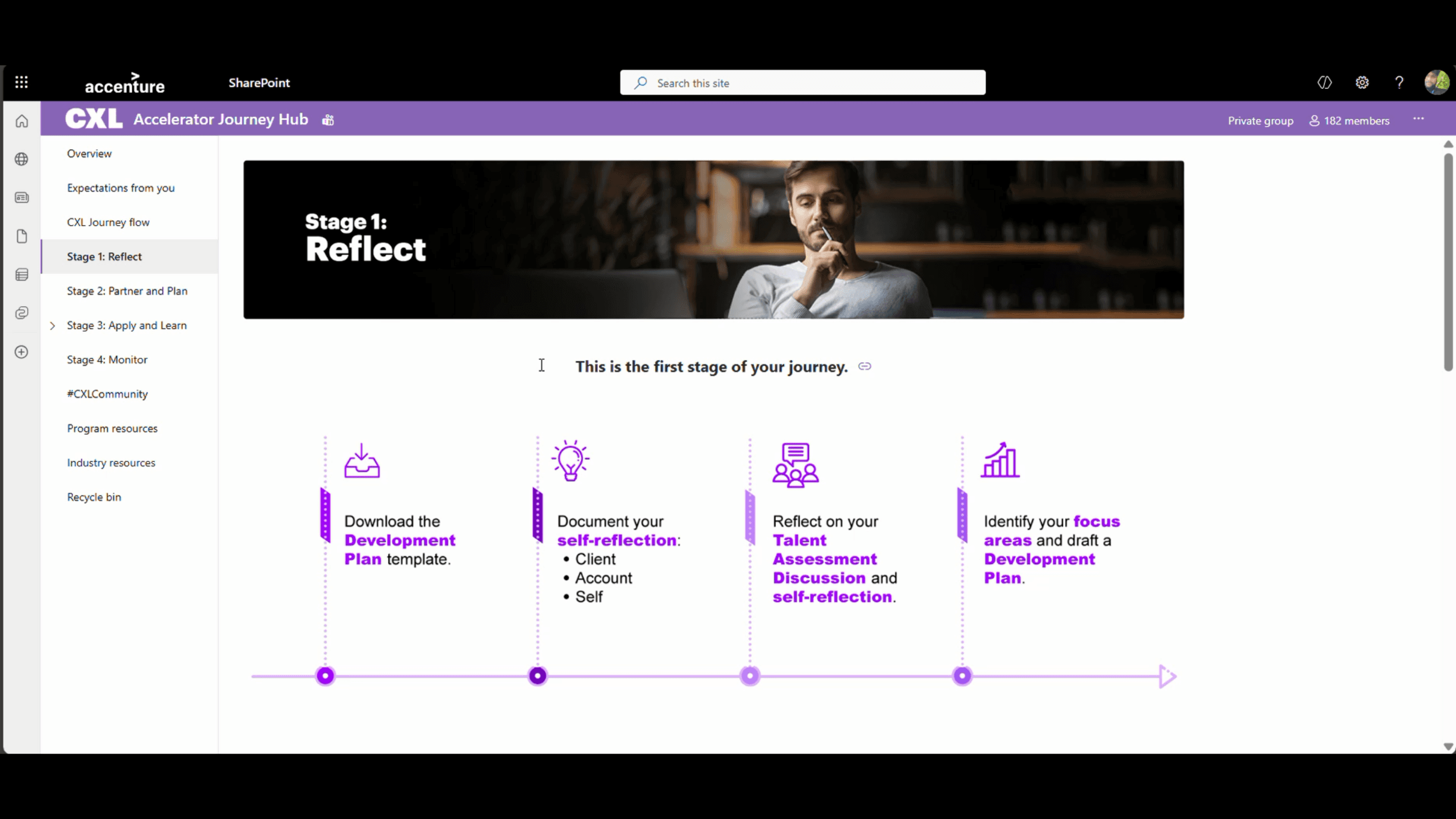
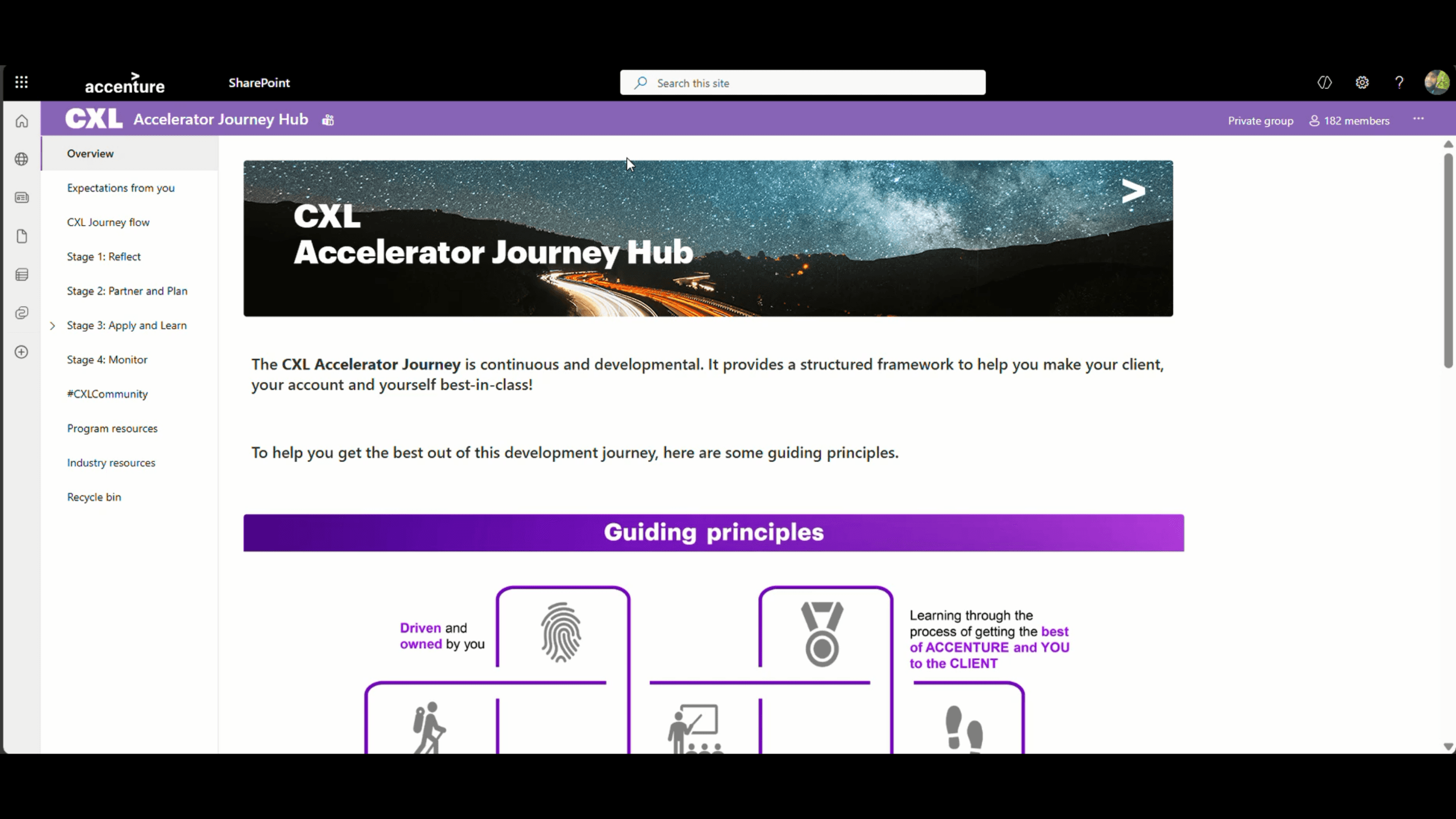
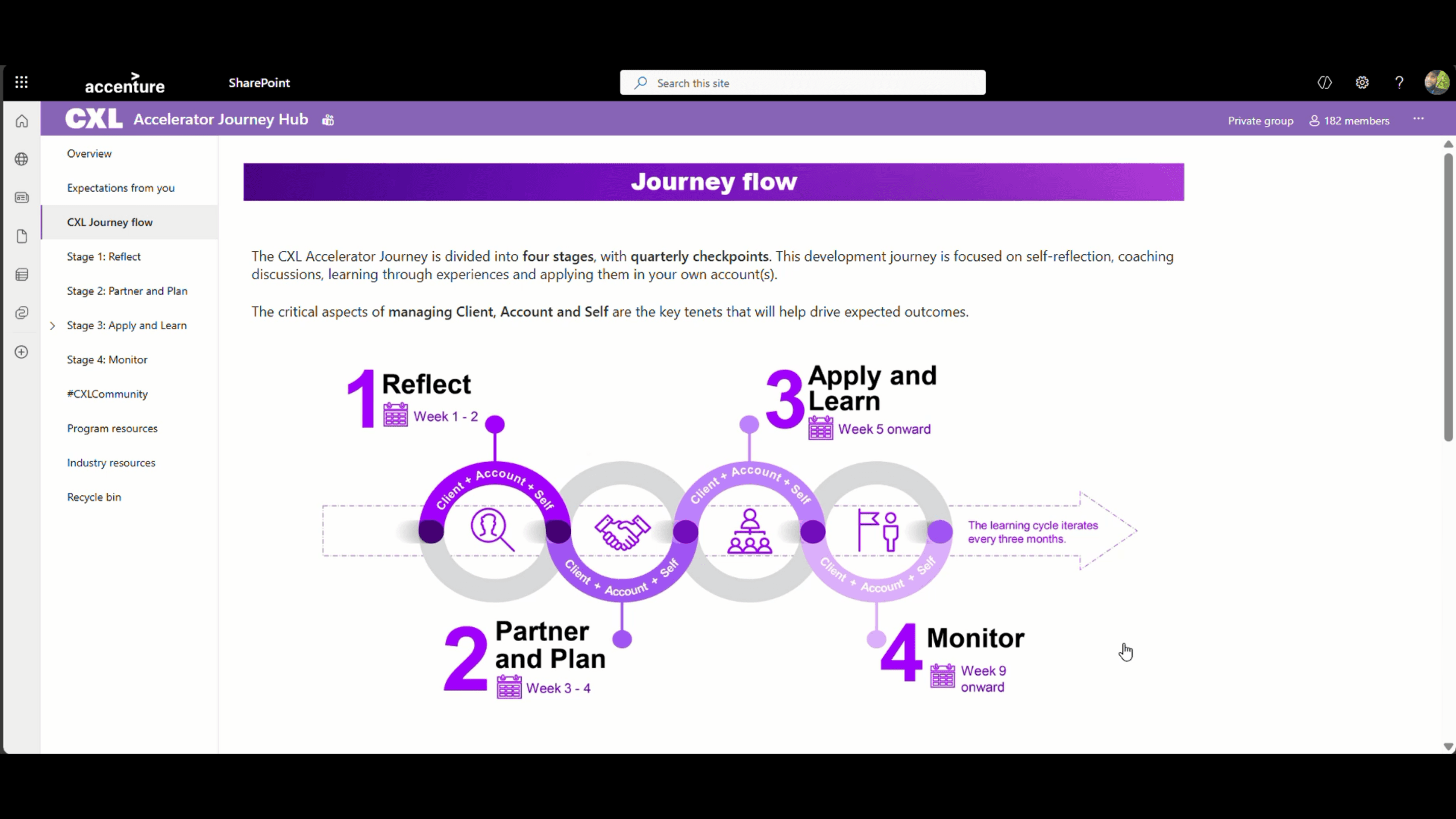
The site included content-heavy infographics, structured learning flows, and visually guided journey-based navigation. Each section followed a logical progression, supported by icons and visual markers to help users navigate easily.
Despite appearing simple visually, the backend process and content structuring were complex. I handled content visualization, shared regular updates for review, and personally updated and managed content directly on the SharePoint site to ensure accuracy and consistency.
Mission
Mission
The mission was to transform large volumes of content into a clean, structured, and user-friendly SharePoint experience. The goal was to create a guided learning journey with clear navigation, visual consistency, and smooth content flow.
The mission was to transform large volumes of content into a clean, structured, and user-friendly SharePoint experience. The goal was to create a guided learning journey with clear navigation, visual consistency, and smooth content flow.
Challenge
Challenge
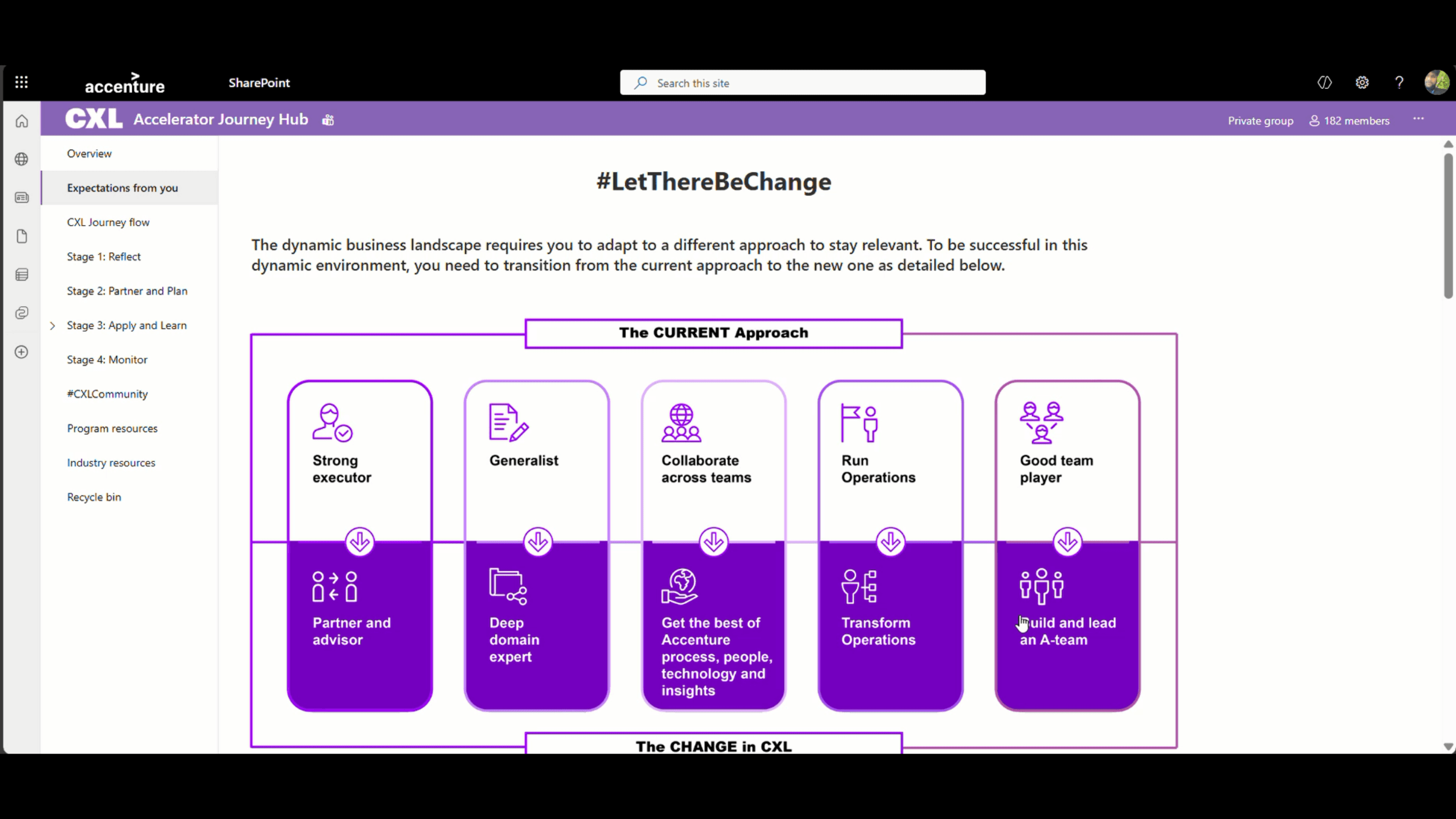
Managing heavy content within SharePoint’s layout limitations was a key challenge. Image sizing and quality optimization required careful exporting in higher resolution to maintain visual clarity. Structuring complex infographics while keeping the interface simple and easy to follow also required thoughtful planning and close collaboration with the ID.
Managing heavy content within SharePoint’s layout limitations was a key challenge. Image sizing and quality optimization required careful exporting in higher resolution to maintain visual clarity. Structuring complex infographics while keeping the interface simple and easy to follow also required thoughtful planning and close collaboration with the ID.
Solution
Solution
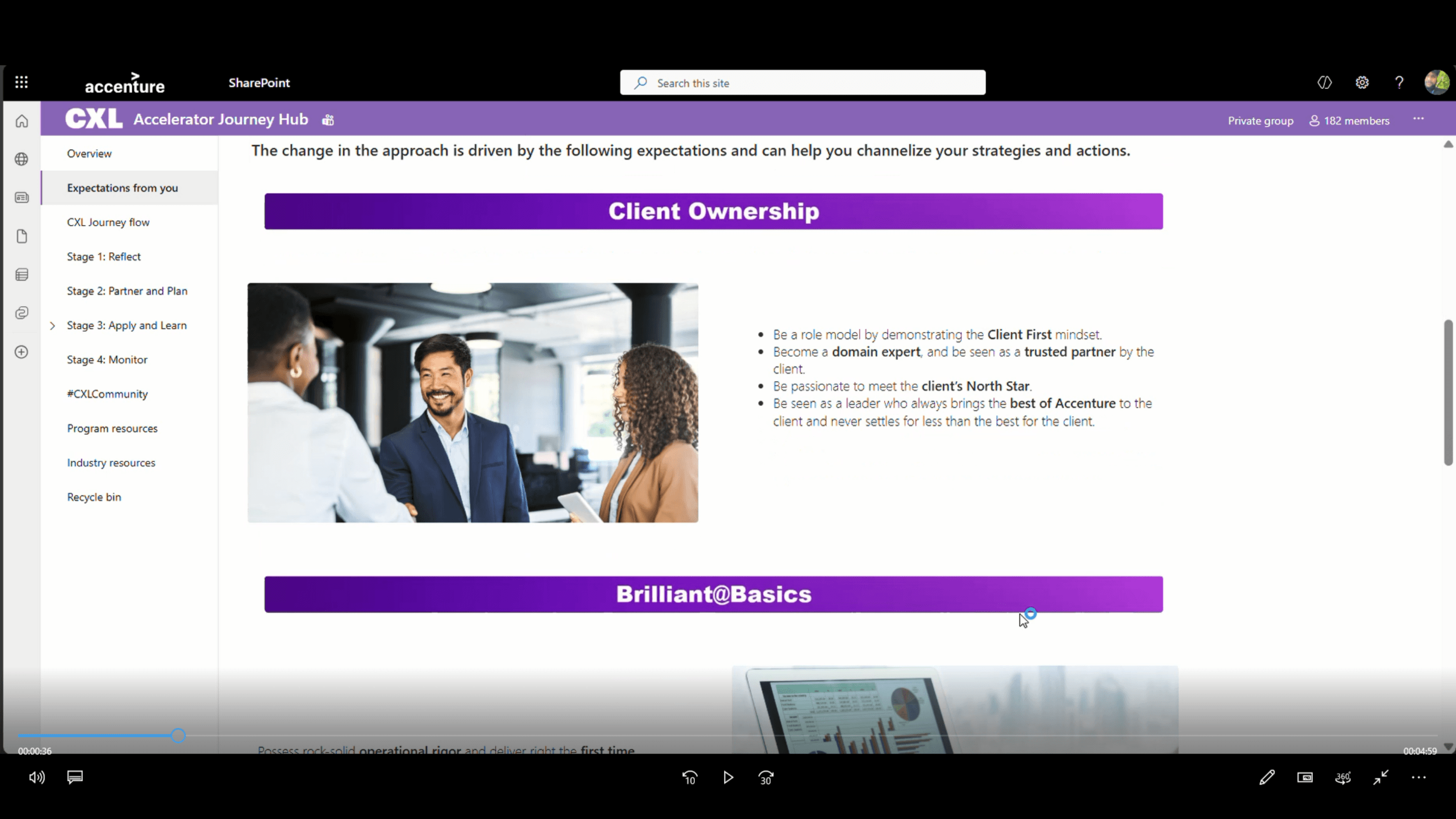
To manage the heavy content effectively, I focused on clear content segregation and structured information architecture within SharePoint’s framework. I designed a guided journey flow supported by visual icons, step-based progression, and organized sections to make navigation intuitive and easy to follow. High-resolution visual assets and infographics were carefully created and optimized to maintain clarity despite platform limitations. I collaborated closely with Lavanya (ID) to align content structure with functionality, shared regular updates for review, and personally implemented and updated content directly on the SharePoint site to ensure accuracy and consistency.
To manage the heavy content effectively, I focused on clear content segregation and structured information architecture within SharePoint’s framework. I designed a guided journey flow supported by visual icons, step-based progression, and organized sections to make navigation intuitive and easy to follow. High-resolution visual assets and infographics were carefully created and optimized to maintain clarity despite platform limitations. I collaborated closely with Lavanya (ID) to align content structure with functionality, shared regular updates for review, and personally implemented and updated content directly on the SharePoint site to ensure accuracy and consistency.
Result
Result
This was my first experience working on a SharePoint site. While I had prior experience with WordPress and other platforms, adapting to SharePoint’s structure, page settings, and workflow brought new learning opportunities. The platform involved heavy content, detailed infographics, and structured learning journeys. I collaborated closely with the Instructional Designer, Lavanya, who supported content structuring and SharePoint functionality alignment.
This was my first experience working on a SharePoint site. While I had prior experience with WordPress and other platforms, adapting to SharePoint’s structure, page settings, and workflow brought new learning opportunities. The platform involved heavy content, detailed infographics, and structured learning journeys. I collaborated closely with the Instructional Designer, Lavanya, who supported content structuring and SharePoint functionality alignment.